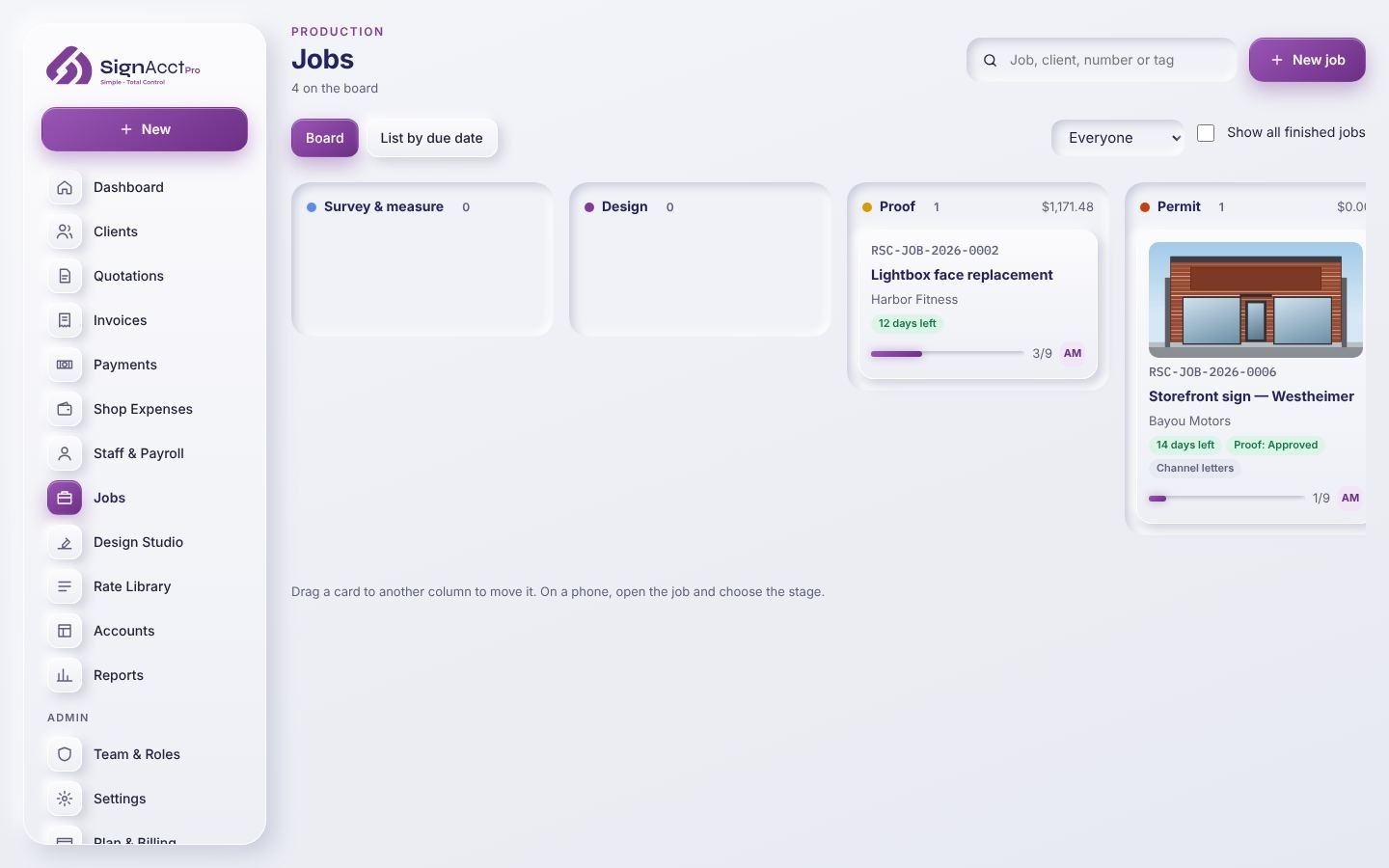
Jobs board
Drag and drop between stages, filter by person, put a job on hold with a reason, and archive finished work.
One board for every job from survey to install. Everyone sees what is due, what is waiting and what is stuck, on a computer in the office or a phone on site.
Drag and drop between stages, filter by person, put a job on hold with a reason, and archive finished work.
Send a proof from the job, see when the client opened it and whether they approved or asked for changes.
Taken from the approved quote, with a tick for each item as it arrives.
Your team can start and stop a timer on a job or add hours, so labor cost shows in the job's profit.
Add the carrier and tracking number when a job ships.
Installers and field crew see the jobs they need; costs and prices stay with the people you allow.
Yes. Start it by hand, from a won deal, or from an order email. Add its sale price and estimated cost on the job so its profit is shown correctly.
Yes. Each job is the work order: what is being made, the materials list, the checklist, files and proofs, due date, install date and install crew, all in one place that the whole team can open.
Yes. SignAcctPro works in the browser on phones and tablets, so the crew can see the job, tick the checklist and add site photos.
Yes. Each job shows its quoted price, estimated cost and real cost so far. Until you mark all costs as recorded, the profit is shown as provisional.
Build every sign quotation from what the job really takes: materials priced from your suppliers' lists, your own shop and install labor, and the margin you set.
Bill from the approved quote, take deposits and payments, and let the books fill themselves in. See what each job really earned and what the month left you.
Show the client exactly what they are buying, at real size on their own building, and get a clear signed answer before production starts.
Show a client their sign on their own building at the real size, lit the way it will be lit, before anything is made. Then print the scale drawing for the shop and the landlord.
Lay out room signs with raised capitals and Grade 2 braille at real size, designed to ADA guidelines, and send cut files straight to production.
Keep every lead, quote and conversation in one place, and never forget to follow up on a quotation again.
Know what is on the shelf, what is running low and what is on order, and order each job's materials without retyping the list.
Choose your country once and SignAcctPro sets your currency, tax name and rate, date format and financial year. Work in English, Spanish, French, German, Portuguese, Italian or Arabic.